
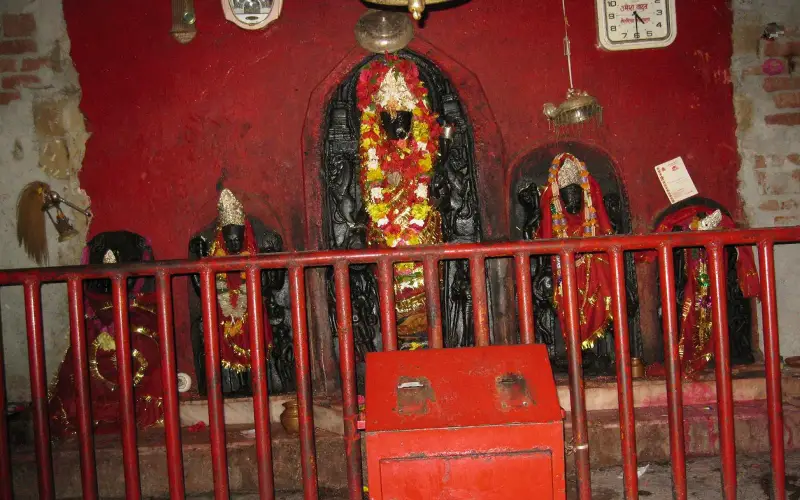
स्वागत है · चतरा जिला Apna Chatra · Jharkhand
Everything in Chatra, in one place
🎤 Tap the mic and say what you need माइक दबाएँ और बोलें आपको क्या चाहिए
Services सेवाएँ
All › Hallsशादी हॉल
 Doctorsडॉक्टर
 Repairsमिस्त्री
 Foodखाना
 Farmingखेती
 Educationपढ़ाई
 Shopsदुकानें
 Transportपरिवहन
Today आज
More ›Quick help तुरंत मदद
Today in Chatra
⚠️ Report✅ Nothing here yet.
More services · और सेवाएँ
Every shop, service and office — with call, WhatsApp and map.
 Daily needsरोज़मर्रा की ज़रूरतें
 Construction & materialsनिर्माण, सामग्री
 Vehicles & garagesवाहन और गैराज
 Real estate & rentalsप्रॉपर्टी और किराया
 Weddings & eventsशादी और कार्यक्रम
 Beauty & fitnessसौंदर्य और फ़िटनेस
 Hotels & staysहोटल और ठहरने की जगह
 Made in Chatraस्थानीय उत्पाद
 Professionals & financeपेशेवर और वित्त
 Citizen servicesनागरिक सेवाएँ
 Worship & communityपूजा स्थल, समुदाय
 Ask Chatra
 Your next opportunity
 Jobsनौकरियाँ
Apna Chatra · चतरा जिला
Chatra is known for
The pride of Chatra, Jharkhand.
Fresh in Chatra today
Nothing here yet. Post the first one.
Explore Chatra
Plan a trip →Chatra district is district one of the twenty-four districts of Jharkhand state, India. The district was formed after separation from Hazaribagh district in 1991. Chatra is the administrative headquarters of this district. The district covers an area of 3718 km2.
Get your business online in 10 minutes
Just tell us your business name and type — your site is ready instantly. Add photos from your phone. No technical knowledge needed.
- Your own site: name-chatra.mydistrict.in
- Bookings, menus or appointments
- WhatsApp, call and map buttons
- UPI payment details & QR poster
- Listed in the MyDistrict app
- Visitor and enquiry reports
Your district in your pocket
Add MyDistrict to your home screen — it works like an app, even on slow networks. Business owners manage their site, bookings and enquiries from the same app.